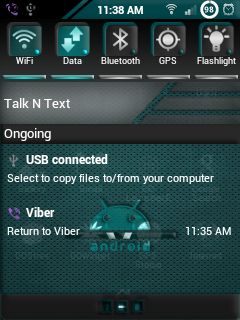
This is the Custom ROM I'm using.
Tested on Stability and Speed.
NOTE:
Please Backup all your Data on your Phone.
Including Phone Contacts and Applications etc.
All data on your phone will be deleted after the process is done.
INSTRUCTIONS:
1. Be sure that your battery is full or at least 75%.
3. Copy it on your SD Card.
4. Turn off your SGY.
5. Hold and Press Home Button, Volume Up and Power Button to boot on Recovery.
6. Use volume control and select Wipe Data/Factory Reset.
7. Press Home Button to select. Then hit YES.
8. Select Wipe Cache Partition. select YES.
9. Select Apply Update From SD Card.
10. Select ChobitsDigitalis_V2.zip
11. Reboot Your Phone.
12. First Boot may takes up to 2-5 minutes. Just Wait.
13. After it is fully loaded, click Menu (left button) > Preferences > Backup/Restore > Reset to Default.
14. Enjoy Fast SGY...
NOTE:
ROM POLICY / Disclaimer:
I will not be held responsible if any mishaps while/after flashing will occur (please follow the instructions posted here to avoid issues). This Rom may or may not work for you, therefore please don't expect full compatibility on all firmware versions (custom/stock). But theoretically it should work on all stock roms.
By flashing this rom, you must understand that the developer reserves the right to add/omit some apps, please make sure you do a backup of your apps and a nandroid backup to restore previous installed apps.
Lastly, you as an Android user must understand that rom development takes time and effort, therefore requests may or may not be addressed quickly but please feel free to review and send bug reports so I can sort it out by releasing update fixes.
Thank you for Choosing ChobitsDigitalis ROM!
by HCFroyd247
..
Credits to XDA Developer and to the makers of ChobitsDigitalis..
You Guys ROCKS!!!!!
Bigger Screenshots: